M6 Mac Mini gaming: Cyberpunk 2077
Native presets, ray tracing and the compromises of upscaling and frame generation. nyaaBench results on the 24GB M6 Mac Mini.
These tests use the 24GB M6 Mac Mini. See the overview and measurement notes for the shared setup.
Cyberpunk 2077
The original review used Cyberpunk's own benchmark scores. These are a separate set of nyaaBench captures using the same benchmark in game. In my checks though nyaaBench was within 1% of the game's reported result for the same settings.
Cyberpunk 2077 · Mac Mini M6, 24GB
| Settings / scene | Average FPS |
|---|---|
| 1080p Native Low Non-RT | 67.73 |
| 1080p Native Medium Non-RT | 52.71 |
| 1080p Native High Non-RT | 42.01 |
| 1080p Native Ultra Non-RT | 36.24 |
| 1080p Native RT Low | 30.94 |
| 1080p Native RT Medium | 19.86 |
| 1080p Native RT Ultra | 16.2 |
| 1080p Native RT Overdrive Path Tracing | 8.27 |
| 1080p RT Ultra FSR Performance and FSR3.1 FG | 60.3 |
One capture per setting. Hover averages for min / avg / max; min and max are one-second rates, not percentile lows. Colours: below 30 fps red, 30–59 yellow, 60–89 green, 90+ cyan.
nyaaBench capture
Built-in benchmark captured with nyaaBench. Separate capture set from the original review and its in-game scores. Frame rate and latency are once-a-second summaries; telemetry is sampled every 250 ms. Dashed lines mark each capture's average.
Native 1080p Medium averages , while Low reaches . Ray tracing is where the compromises get much harder. RT Low uses Ultra as its rendering baseline with some RT features enabled, so it isn't the low-quality rendering preset with a few reflections added. Even that lands at , and native RT Overdrive drops to average.
Being honest here, it's a game I'd ideally want to play with ray tracing enabled, but staying anywhere near 60fps that way requires a different set of compromises. With FSR upscaling at Performance and FSR 3.1 frame generation, the RT Ultra capture averages 60.3fps. Actually playing it at those settings though felt worse to me than leaving those features off and using Medium without RT, and it looked a mess.
I'm usually reluctant to give upscaling much space in a review, but MetalFX Quality was just a better experience. At 1080p output it rendered at 1280×720 internally, and aside from some loss of contrast and texture detail it was initially hard to tell the image was upscaled, I did a double take in the settings. High without RT, MetalFX Quality and no frame generation stayed mostly around 60fps in my play session.
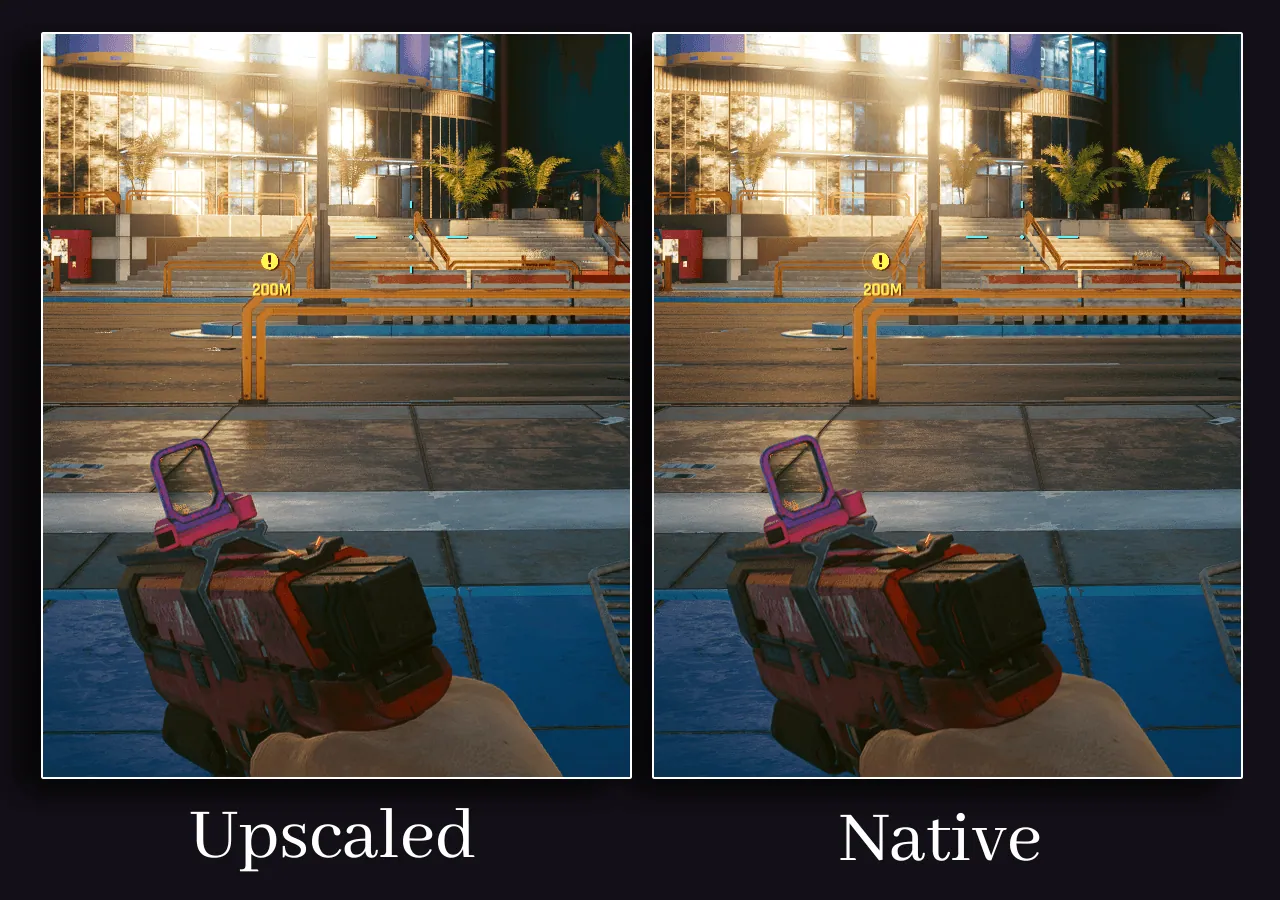
Using RT Medium with the same MetalFX Quality setting more than halved the frame rate in that session and became uncomfortable to play. MetalFX Performance kept it above 30fps, but the image-quality nuked any desire for me to continue testing.